How to Set Up and Use Your Personal Tax Account Online

Back to Blog Tax How to Set Up and Use Your Personal Tax Account Online

Table of Contents

Do you want to know how much tax you have to pay after submitting your return? No longer needs to do more paperwork or long phone calls. With HMRC’s Personal Tax Account (PTA), you  can access and manage all the tax information securely online all in one place. 


Whether you are employed, small business owner, or receiving a pension, this gives you real-time visibility of your income, tax code, National Insurance, and any tax owed or refunded.


TAJ Accountants guide you to set up and use your personal tax account. Also, we will  assist to learn how you get started step by step.

What Is a Personal Tax Account?

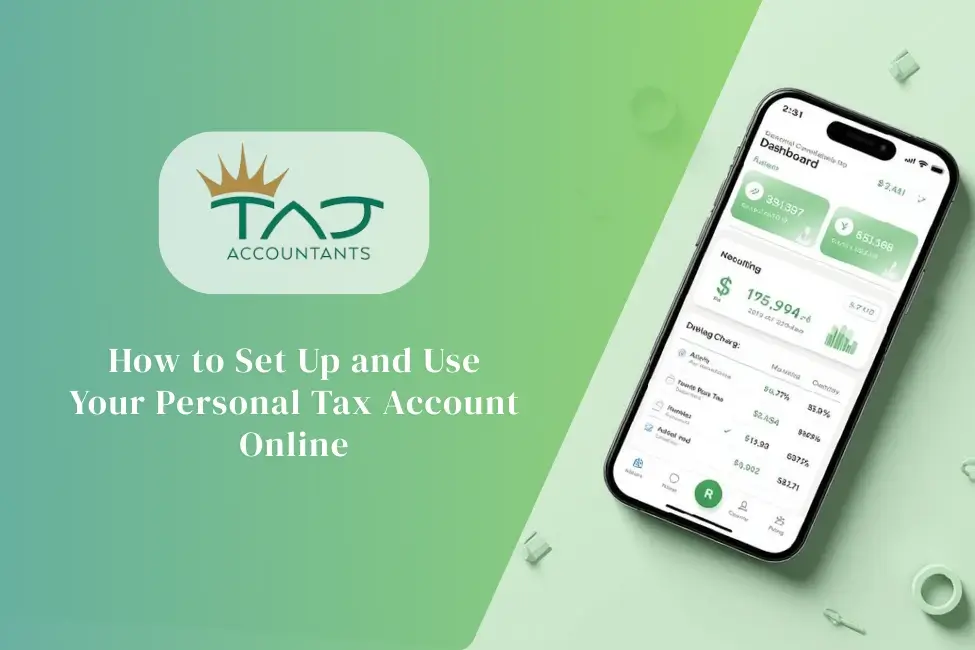
Personal Tax Account (PTA) refers to a secure online portal provided by HM Revenue & Customs (HMRC). It allows taxpayers to access, manage, and update their personal tax information and system in one place. 


The personal tax account is a part of Make Tax Digital (MTD). Its aim is to make the tax process more efficient and transparent for all the UK taxpayers. 


It is similar to accessing online banking to manage your bank account for taxes. Also, tax holders can access it 24/7 to get various services from HMRC directly. They don’t need to wait for phone calls or use any documents. 


Why it Matters for-


According to the UK.GOV, you can use your personal tax account to get the following services for free at any time-


  • To check your estimate income tax and tax code
  • For submitting, view or manage a Self Assessment tax return
  • Claim a tax refund if you have overestimated
  • Find your National Insurance record to forecast state pension
  • Manage your Child Benefits to change reports if needed
  • View previous 5 years income from your work 
  • How much income tax you paid in the previous 5 years
  • You’ll benefit from paying voluntary National Insurance contributions 
  • Track tax forms that you’ve submitted online
  • Update your Marriage Allowance
  • Tell HMRC to change your name and address  
  • Update benefits you get from work e,g, (car details and medical insurance)
  • Find your Unique Taxpayer Reference (UTR) number, if you already have one
  • Check your Simple Assessment tax bill

What You Need to Create a Personal Tax Account?

To create a personal tax account you need to make sure that you have this information. This data make your ID creation process faster & secure. These are-

  • National Insurance (NI) number
  • A valid UK passport or other photo ID (e,g, driving licence or credit record)
  • Recent payslip or P60,
  • A mobile phone or landline number to get the verification code
  • Valid email address
  • Personal information such as name, address, and date of birth

How to Set Up Your Personal Tax Account: Step by Step Guide

Setting up a Personal Tax Account is an easy process and it takes 10–15 minutes. Do the below processes step -by-step:

Step 1: Create a Government Gateway Account

First you need to create a Government Gateway user ID. To set up your account:

  • Open the official government tax website
  • Click sign up button to start creating the Government Gateway ID
  • Enter your email address & password
  • Receive a Government Gateway user account 
  • Save this ID securely

Step 2: Verify Your Identity

After this, verify your identity using official documents and security checks, including:

  • Personal details (passport, driving licence, credit info)
  • Receive one-time security code through your phone
  • Completed the verification process

Step 3: Access Your Personal Tax Account

You can log in to get access using your government gateway ID and password. Go to your Personal Tax Account dashboard. Check your present year’s necessary tax details, previous years history, and obligations.

Step 4: Update Your Personal Details

After log in, check your personal details to avoid mis communication with HMRC. Check and set up your address, contact info, and even your bank account details.

How to Use Your Personal Tax Account

The most common ways of using the UK personal tax accounts are-

Check and Update Your Tax Code

Your tax code determines how much tax is deducted from your income. View your current tax code and how it was calculated. Update necessary data if you have any errors. 

Accurate tax code prevents less or over payment of tax.

View Income, Tax Amount, and Allowances

Go to this section regularly to cover a view into your benefits and allowances. It shows how much tax credit and allowance you are owed from HMRC.

Claim a Tax Refund

You can review the tax refunds you are eligible for. If you overpaid your tax or you get refundable credits, you can request, track, or collect your tax refund through your online personal tax account.

File Your Tax Return 

Your personal tax account allows you to register for a self-assessment tax return in time. You will be able to check tax deadlines and previous tax returns.

Paying Tax Bill

Check and select a payment method from multiple payment options with PTA. You can make payments including bank transfer, online, and direct debit to HMRC. 

It allows you to skip penalties and save wasting money.

Sourcing Professional Advice

If you face any problems with account, payment issues, refunds or penalties you can always seek professional advice through this page. PTA gives you this opportunity so you can stay accurate and hassle free.

Benefits of Using a Personal Tax Account

Using a Personal Tax Account offers several advantages:

  • 24/7 online access to tax information
  • Get access to all your tax data, history at one
  • Faster updates and corrections
  • Keep track of your tax due & payment process and submit returns.
  • Helps you to file your return before the deadline.
  • Secure and paperless tax management
  • Manage self assessment tax return.
  • Create better financial planning
  • Stay compliant to HMRC

Stay Updated

Get expert accounting advice tailored to your business needs

Is a Personal Tax Account Secure?

The Personal Tax Account (PTA) is very secure, as long as you follow some basic precautions. HMRC has designed this online system to keep your personal and financial information safe.

The key aspects of security are briefly outlined below:

Strong login system

You need your Government Gateway ID and password to access your account, which verifies your identity.

Two-step verification

In many cases, you need to use a code sent to your mobile phone or an authentication app during login, which provides additional security.

Data encryption

The information you provide is stored in an encrypted state, making it almost impossible for third parties to read or use it.

Regular security updates

HMRC regularly updates their systems to protect against new types of cyber threats.

Activity monitoring

The system can detect suspicious logins or unusual activity and take necessary action.

However, just having a system is not enough. As a user, you also need to be responsible:

  • Never share your login information with anyone
  • Avoid logging in on public or shared devices
  • Do not click on suspicious emails or links 

When used correctly, Personal Tax Account is a reliable platform for managing all your tax-related tasks safely and hassle-free.

Final Thoughts

Setting up and using a Personal Tax Account online is no longer a complicated process. By following the above steps, you can easily view your tax records, update your tax code, check your refunds and communicate with HMRC all from one place. This saves time, reduces paperwork and gives you full control over your financial information. 


The most important thing is to use it safely. Your Personal Tax Account will benefit you in the long run as a safe and effective solution.


For more details book a free consultation with TAJ Accountants.

Frequently Asked Questions

How do I check my UK tax status?

You can check your UK tax status by logging into HMRC’s Personal Tax Account. This will show you your employment details, tax code, National Insurance contributions and tax payments in one place.

Is a Personal Tax Account free to use?
Yes, a Personal Tax Account is completely free to use. HMRC does not charge any fees for this service.
Who can open a Personal Tax Account?
Anyone who has a UK National Insurance Number and is registered with HMRC for tax purposes can open a Personal Tax Account. This includes employed people, self-employed people and pensioners.
Can I access my Personal Tax Account on my phone?
Yes, you can easily access your Personal Tax Account using your mobile phone’s browser. HMRC’s website is mobile-friendly.
How do I check my tax code online?
After logging into your Personal Tax Account, you can view your current tax code from the dashboard.
Can I claim a tax refund through my Personal Tax Account?
Yes, you can check your tax refund status and claim a refund if necessary through your Personal Tax Account.
Is my Personal Tax Account secure?

Yes, your Personal Tax Account is secure. Your personal and financial information is kept safe using Government Gateway login, two-step verification, and data encryption.
2 1

Disclaimer

The information provided in this blog is for general informational purposes only and is based on secondary research from publicly available sources, including government websites, professional publications, and other online resources. While TAJ Accountants strives to ensure that the information presented is accurate, current, and reliable, we make no guarantees regarding the completeness, accuracy, or suitability of the content.

Any errors, omissions, misinterpretations, or misjudgments are entirely unintentional. Tax laws, regulations, and financial circumstances can change frequently and may vary depending on individual situations.

Abul Hyat Nurujjaman
Abul Hyat Nurujjaman is a multi-award-winning accountant and Founder & CEO of TAJ Accountants. As a leading cloud accounting expert and trainer, he helps businesses streamline finances with modern technology. He also serves on the Intuit QuickBooks Accountant Council, contributing to the future of digital accounting.

Table of Contents

Stay Updated

Get expert accounting advice tailored to your business needs

Related Articles

Do you want to start a business as a sole trader in the UK and are wondering about the CWF1 form? If yes, you have probably met the CWF1 form. CWF1 form is one of the most...
Do you want to know how much you can save from business asset disposal relief? If yes, this guide is for you. Business Asset Disposal Relief is a type of tax relief that ...
Do you know the Research and Development (R&D) tax scheme is one of the UK government's most valuable reliefs for investing in innovation? It is designed for reward companies...
Scroll to Top